I’ve been working in SEO for over 10 years, helping brands grow their online visibility, traffic, and revenue through proven search strategies. During this journey, I’ve had the opportunity to work closely with multiple SaaS and service-based companies, scaling their organic traffic and turning SEO into a consistent revenue channel.
At Gossips Marketing, SEO isn’t just a service it’s something we practice and test every single day. From ranking competitive keywords to building high-converting content strategies, our team actively uses industry-leading SEO tools to deliver real results for clients.
Because of this hands-on experience, I’ve tested and used nearly every top SEO tool available today. And I don’t stop there. I continuously explore new and emerging tools that can give our clients a competitive advantage in an ever-changing search landscape.
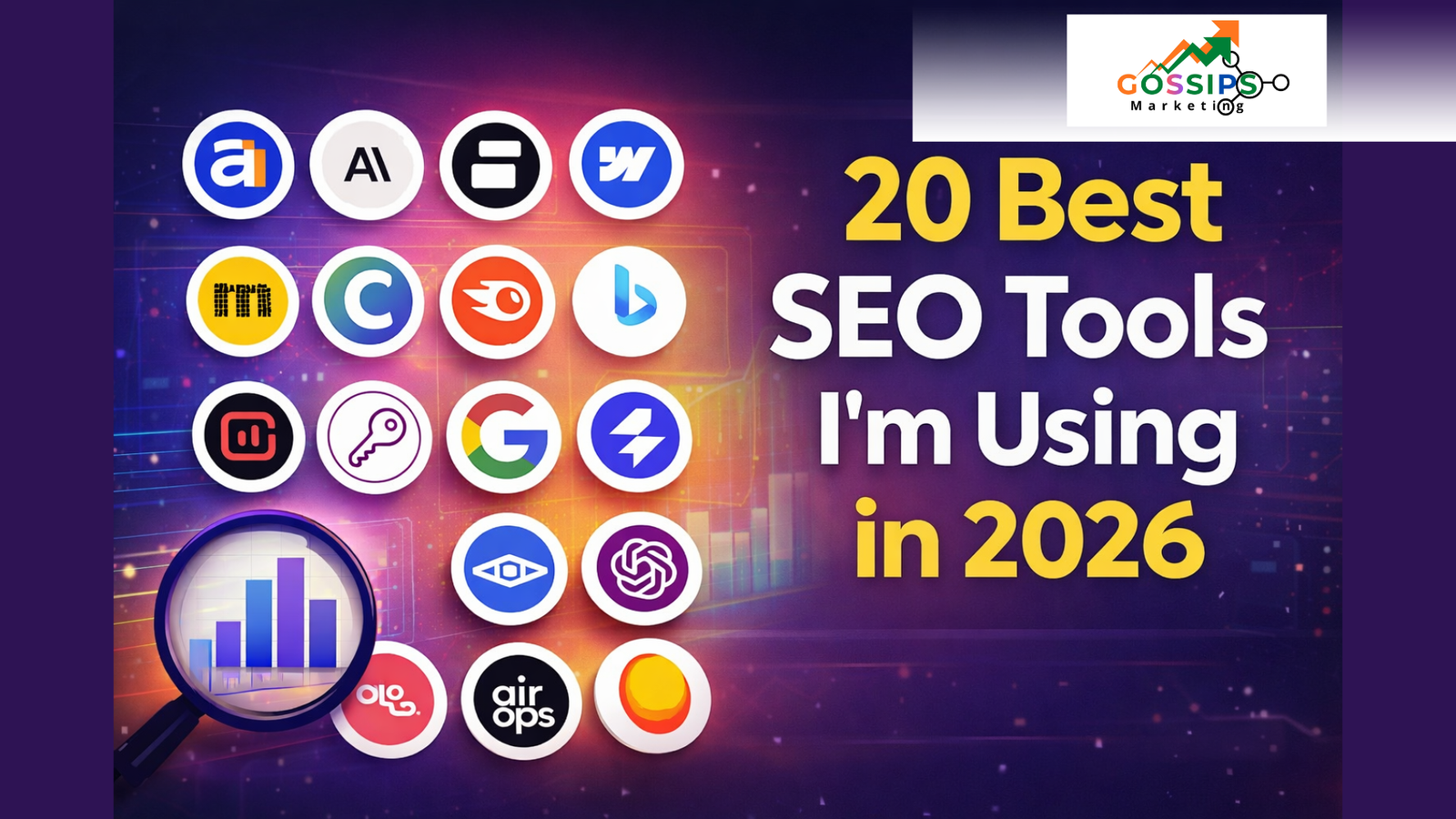
In this guide, I’m breaking down 20 powerful SEO tools across different categories, helping you choose the right ones based on your goals. To make things even easier, I’ve included an ease-of-use rating—beginner, intermediate, or advanced so you can quickly find tools that match your experience level.

How We Magnetize Your Audience – The Gossips Marketing Way
In a world where every brand is shouting, the ones that win are the ones that pull the right people in. At…


is really saree business generate sales from wesbite still the
For saree business owners across India, the big doubt today is clear: “Can a saree website still generate real sales, or…
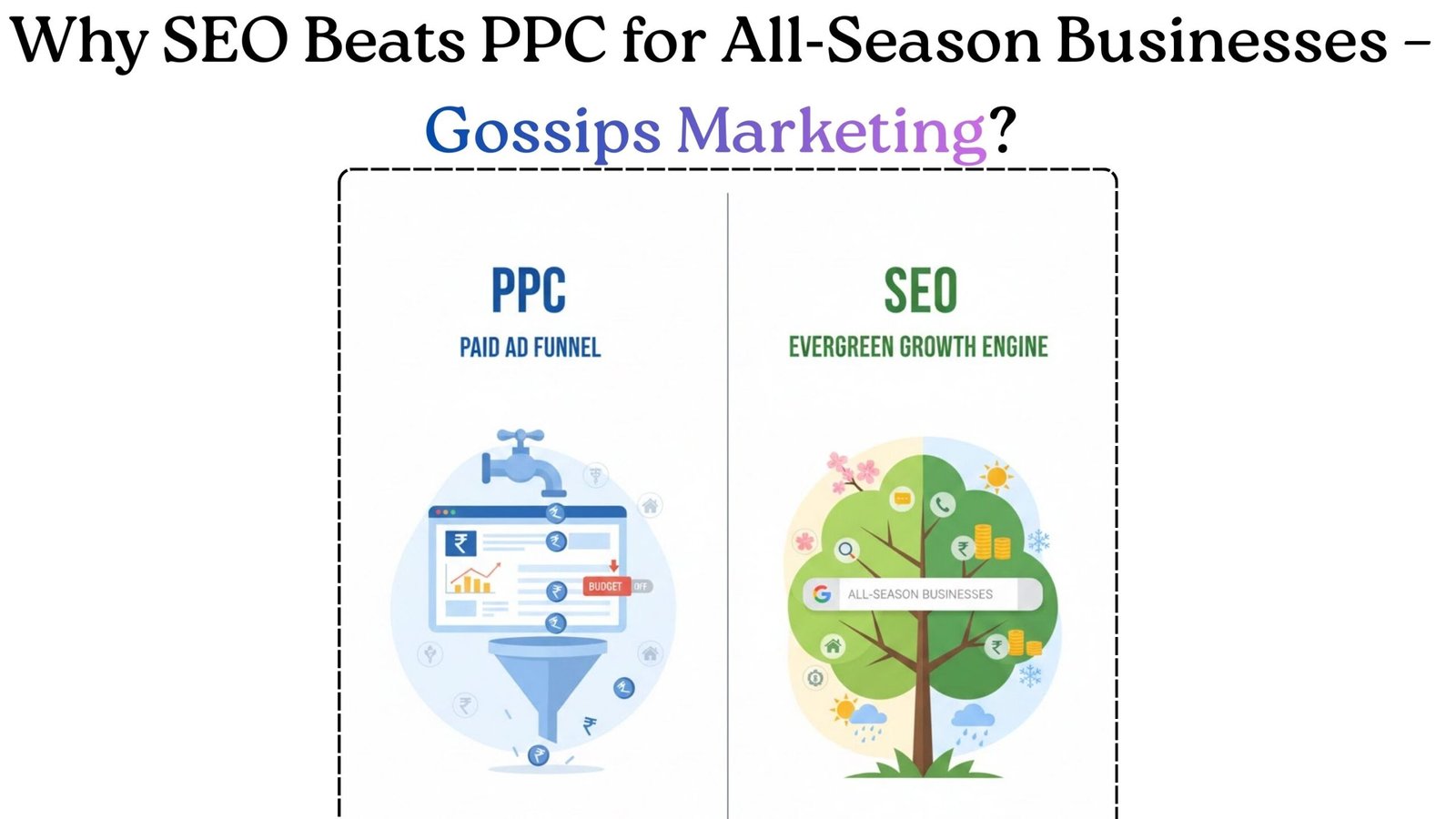
Why SEO Is Better Than PPC Today For All‑Season Businesses?
If a business runs 365 days a year like a clinic, real estate agency, coaching institute, SaaS product, or local…

Digital Hoardings in Jaipur: Low‑Cost, High‑Impact Branding for Local Businesses
Namaste guys, let’s start with a new update from Jaipur’s advertising scene digital billboards (digital hoardings) at Rambagh Circle and…

Business Not Running? The Ultimate Guide for Shop Owners to
Are you a shop owner who sits in the shop for hours and thinks: “Pehle jaise customer nahi aa rahe…”“Market me…

How ChatGPT Outage Stops the Digital World for a While?
Published: February 04, 2026 On February 4, 2026, ChatGPT experienced a significant outage affecting thousands of users across the United States….
The tools aren’t listed in any fixed order, but they do reflect how valuable and practical they are based on real-world usage. I’ve also grouped them logically, so whether you’re focused on keyword research, content optimization, competitor analysis, technical SEO, or automation, you’ll find what you need without confusion.
And just to be clear this is not a sponsored or biased post. We’re not here to push software for commissions. Every tool mentioned has been personally tested and used by our SEO experts at Gossips Marketing. I’ll share honest insights, including what works well, where each tool shines, and where it may fall short. No hype just real experience.
Read Also: How to drop a pin on Google Maps
What Is an SEO Tool?
An SEO (Search Engine Optimization) tool is a platform designed to help you plan, execute, and improve your website’s visibility across search engines. While Google is the primary focus for most businesses, modern SEO also includes platforms like Bing, AI-driven search engines, and conversational search tools that influence how users discover content.
SEO tools serve different purposes depending on your strategy. Some help with keyword research, others analyze competitor traffic and backlinks. Certain tools focus on content optimization, while others improve technical website health or help automate repetitive SEO tasks.
In this post, you’ll find tools that offer all-in-one SEO solutions, as well as specialized tools that excel at one specific function. Every tool mentioned here has been used in real campaigns, tested on live websites, and evaluated based on performance—not theory.
The ultimate goal of this guide is simple: to help you choose the right SEO tools for your business or project. Before diving into the full list, let’s first talk about what we consider the best SEO tools to start with and how to use them effectively.
What Do I Consider the Best SEO Tools?
If you’re just getting started with SEO, my first recommendation is simple: begin with Google’s free tools. They’re powerful, reliable, and perfect for building a strong foundation. Tools like Google Autocomplete, Google Keyword Planner, Google Search Console, and Google Trends give you real search data straight from the source.
Using only these free tools, I’ve been able to achieve #1 rankings in a surprisingly short time. They help you understand search intent, discover keywords, track performance, and spot trends—all without spending a single rupee. These are the tools every beginner should master before moving on to paid options.
Once you’re comfortable with the basics, the next step is content creation and optimization. For this stage, tools like Surfer, Claude, and Clearscope stand out. They help you create search-optimized content that aligns with what’s already ranking, making it easier to compete in crowded niches.
For keyword research and competitor analysis, I rely on a combination of Ahrefs, Semrush, and Google Autocomplete. These tools provide deep insights into competitor strategies, backlink profiles, and keyword opportunities you can actually win.
And when it comes to SEO automation and scaling your efforts, one tool clearly stands out: Gumloop. It’s my go-to choice for building automated workflows that save time and streamline complex SEO tasks.
Let’s Take a Closer Look at Surfer SEO
1. Surfer
Category: Content Optimization
Best For: SEO-driven blog writing
Ease of Use: Beginner to Intermediate
Pricing: Starts at $99/month
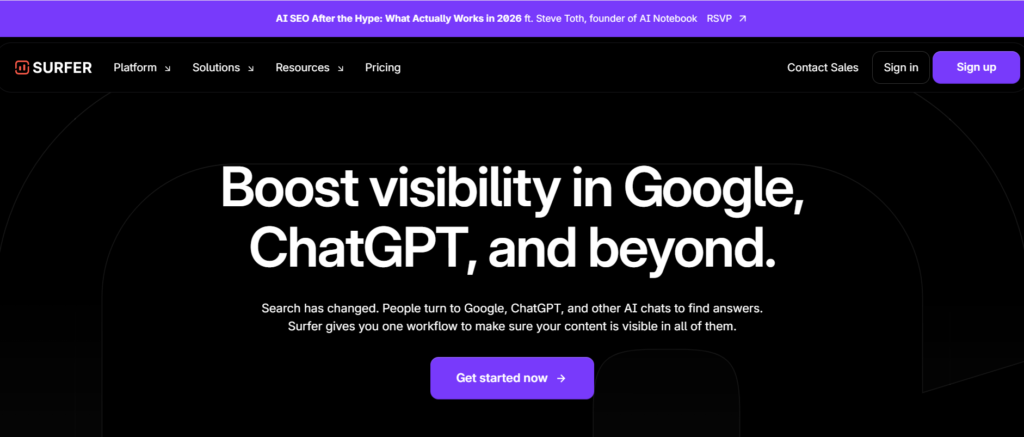
Launched in 2017, Surfer is a powerful SEO and content optimization platform designed to help websites rank better on Google and modern AI-based search platforms like ChatGPT. Over the years, it has become a go-to tool for many SEO professionals and content marketers—and for good reason.
Surfer fits naturally into an SEO workflow and is especially useful for anyone focused on creating search-optimized content at scale.
How Surfer Works
At its foundation, Surfer is built around data-driven content optimization. The platform allows you to create detailed reports based on your target keywords.
Here’s how it works in simple terms:
- You enter a keyword you want to rank for
- Surfer analyzes the top-ranking pages for that keyword
- It identifies common patterns such as keywords, headings, structure, and content length
- These insights are converted into a clear content brief
With this approach, you’re not guessing what Google wants—you’re aligning your content with what’s already performing well in search results.
Surfer then provides actionable recommendations such as:
- Ideal word count
- Important keywords to include
- Number of headings to use
- Content structure suggestions
This helps you create content that matches search intent while following proven ranking patterns.
Also Check: Digital Marketing for Yoga Teachers
New Features Beyond Traditional Optimization
While Surfer started primarily as a content optimization tool, it has expanded significantly.
Some of its newer features include:
- Surfer AI, which helps generate content using AI while maintaining your brand voice
- Optimization for AI search engines and chatbots
- Free tools like an AI content detector and AI humanizer
Although AI detection accuracy can vary across all tools in the market, having access to these features at no cost adds extra value—especially for content teams experimenting with AI-assisted writing.
Who Should Use Surfer?
Surfer is ideal for anyone involved in editorial SEO content creation.
This includes:
- Bloggers and content creators
- SEO professionals
- Marketing teams
- Agency owners
- Businesses publishing content to attract organic traffic
If your goal is to rank for specific keywords and attract high-intent search traffic, Surfer can help fine-tune your content before publishing.
Surfer Pricing Plans
Surfer offers three main pricing options. While annual plans come with a discount, here’s a breakdown of the monthly plans most users evaluate first:
Essential – $99/month
- Keyword-based content reports
- Content optimization guidelines
- Brand voice customization
- Ideal for individuals and small teams
Scale – $219/month
- Everything in Essential
- Higher usage limits
- More keyword and content reports
- Advanced topical maps for content planning
Enterprise – Custom Pricing
- All Scale features
- White-labeling
- API access
- SSO login
- Designed for large teams and enterprises
Pros and Cons of Surfer
To keep things balanced, let’s look at both strengths and limitations.
Pros
- Excellent content optimization reports for improving SEO performance
- Smooth integration with Google Docs and WordPress
- Brand voice and collaboration features included even in lower plans
- Trusted by well-known companies like Intuit, FedEx, Square, ClickUp, and FreshBooks
- Reliable platform with strong ongoing support
Cons
- Entry-level pricing may feel high for early-stage startups
- Requires basic SEO knowledge to use effectively
- Not designed to teach SEO fundamentals from scratch
- No built-in technical SEO features (focus is strictly on content)
Surfer works best as a refinement tool—helping you move from “almost ready” content to fully optimized, publish-ready content.
Ratings and User Reviews
Surfer consistently receives strong feedback from users across trusted review platforms:
- G2: 4.8 / 5 (537+ reviews)
- Capterra: 4.9 / 5 (417+ reviews)
These ratings reflect Surfer’s reliability and effectiveness as a content optimization solution.
Surfer is a well-built, data-backed SEO tool for content optimization. If you already understand SEO basics and want to improve your content’s ranking potential, it can be a valuable addition to your toolkit.
With a 7-day money-back guarantee, there’s minimal risk in testing it to see if it fits your workflow.
2. Ahrefs
Category: Competitor & Backlink Research
Best For: Competitor analysis, backlink tracking, SEO insights
Ease of Use: Beginner to Advanced
Pricing: Starts at $108/month
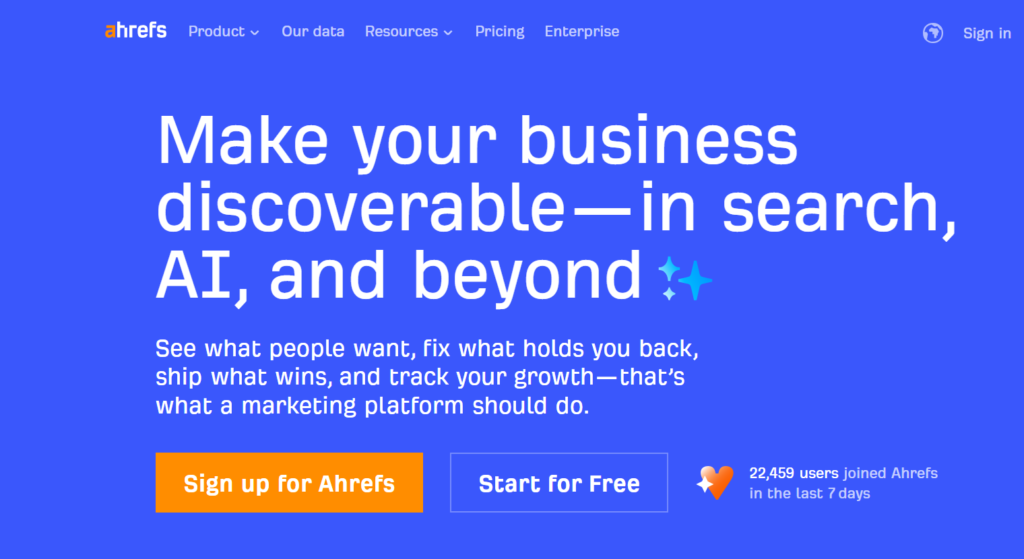
If you’ve spent any time learning SEO, chances are you’ve already heard of Ahrefs. It’s one of the most well-known SEO tools in the industry and has built a strong reputation as a data-driven platform for serious SEO work.
While Ahrefs started as a pure SEO tool, it’s now evolving into a broader marketing intelligence platform—covering not just traditional search engines but also AI-driven search and LLM visibility.
How Ahrefs Works
Ahrefs is one of those tools that becomes part of your daily workflow once you start using it. Many SEO professionals rely on it to:
- Monitor their own website performance
- Track client websites
- Analyze competitors within the same niche
The platform offers multiple tools under one dashboard, making it useful for almost every SEO task. If you had to invest in just one SEO tool for deep analysis, Ahrefs would easily be on the shortlist.
One of its strongest features is Site Explorer, which allows you to:
- Study competitor websites
- Analyze backlink profiles
- Identify top-performing pages
- Understand why certain pages rank better
Ahrefs also includes keyword research capabilities, helping you discover content opportunities and search trends. While there are other keyword tools that some users prefer for ideation, Ahrefs excels when it comes to competitive insight and link data.
Who Should Use Ahrefs?
Ahrefs is suitable for a wide range of users, including:
- Beginners learning SEO fundamentals
- Freelancers managing multiple client websites
- Startup marketing teams
- Agency owners
- Experienced SEO professionals
Whether you’re managing one website or dozens, Ahrefs scales well and adapts to different SEO skill levels.
Ahrefs Pricing Plans
Ahrefs is not known for being budget-friendly, but its pricing reflects the depth and accuracy of its data.
Lite – $129/month
- Up to 5 projects
- 750 tracked keywords
- 500 credits per user
Standard – $249/month
- Up to 20 projects
- 2,000 tracked keywords
- Unlimited credits per user
Advanced – $449/month
- Up to 50 projects
- 10,000 tracked keywords
- Additional advanced features
💡 Hidden Option:
Ahrefs also offers a Starter plan at $29/month with limited features and credits. It’s not heavily promoted but can be useful for basic SEO tasks.
Pros and Cons of Ahrefs
Let’s take a balanced look at what Ahrefs does well—and where it falls short.
✅ Pros
- One of the most accurate tools for competitor and backlink analysis
- Massive data index created through constant web crawling
- Regular feature updates, including tracking visibility in AI-powered search tools like ChatGPT, Gemini, and Perplexity
- Clean interface with a manageable learning curve
- Strong educational content through blogs and YouTube tutorials
❌ Cons
- Pricing can be expensive, especially for solo creators or small startups
- Rank tracking accuracy is decent but not the best in the market
- Traffic estimates may not always match real analytics data, though they’re closer than most third-party tools
Ahrefs Ratings & User Reviews
Ahrefs consistently earns strong ratings across major review platforms:
- G2: 4.5 / 5 (581+ reviews)
- Capterra: 4.7 / 5 (579+ reviews)
These ratings highlight its reliability and value for professional SEO work.
Ahrefs is a powerful, industry-trusted SEO tool that excels in competitor research, backlink analysis, and site auditing. While it comes at a premium price, the depth of data and frequent feature upgrades make it a solid investment for serious SEO professionals.
3. Semrush
Category: All-in-One SEO Suite
Best For: Complete SEO & marketing management
Ease of Use: Intermediate to Advanced
Pricing: Starts at $139.95/month
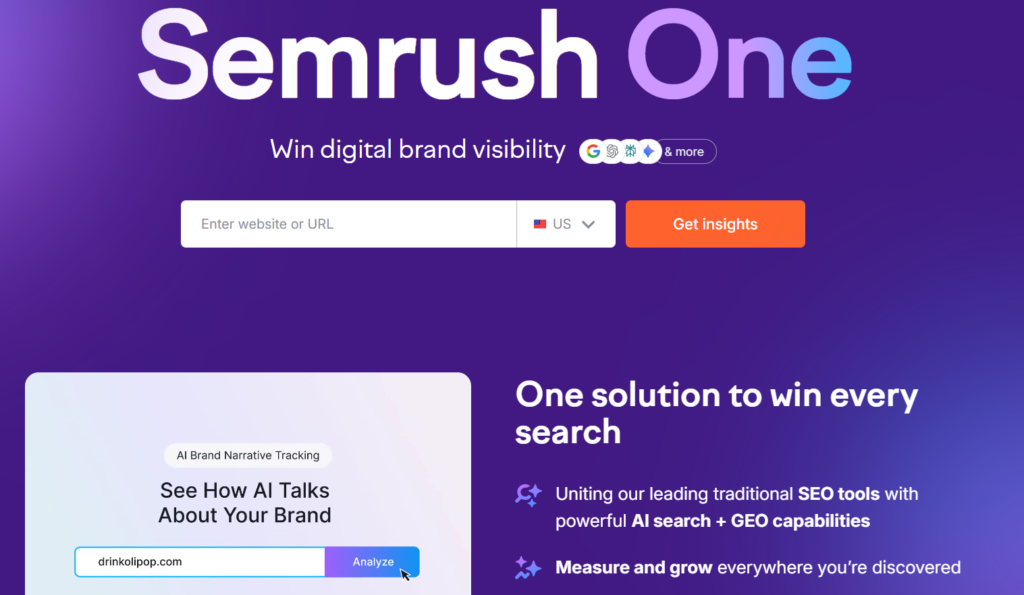
If Ahrefs is often compared to Apple, then Semrush is the Microsoft of SEO tools—powerful, widely adopted, and built to handle almost everything under one roof.
For many SEO professionals, Semrush is the first serious SEO tool they ever use. It has been around for years and has grown into one of the most widely used platforms in the SEO and digital marketing industry. In fact, it’s often considered the market leader in terms of overall adoption and revenue.
How Semrush Works
Semrush is designed to be an all-in-one SEO and marketing command center. From a single dashboard, you can:
- Track traffic trends for your own site and competitors
- Monitor keyword rankings at local and national levels
- Perform technical SEO audits
- Optimize content using built-in tools like ContentShake
- Analyze backlinks and competitor strategies
Because of its wide feature set, Semrush can easily replace multiple SEO tools—making it a strong choice for teams that want everything in one platform.
Who Should Use Semrush?
Semrush is ideal for:
- Digital marketing agencies
- Startups scaling their online presence
- Local businesses running SEO campaigns
- Large enterprises with dedicated SEO teams
If you’re managing SEO at scale or need advanced reporting and data, Semrush fits naturally into your workflow.
Semrush Pricing Plans
Semrush sits in the premium pricing category, but its features justify the cost for many users.
Pro – $139.95/month
- Up to 5 projects
- Core SEO, keyword, and competitor tools
- Ideal for freelancers and small teams
Guru – $249.95/month
- Up to 15 projects
- Everything in Pro
- Multi-location tracking and AI search (ChatGPT) visibility
Business – $499.95/month
- Up to 40 projects
- Share of Voice tracking
- API access for advanced integrations
💡 You can explore all plan details directly on the Semrush pricing page.
Pros and Cons of Semrush
Pros
- One of the most complete SEO platforms available
- Huge ecosystem of learning resources, tutorials, and free courses through Semrush Academy
- Widely used across the industry, making it easy to find community support
- Constant feature development to stay ahead of competitors
Cons
- Pricing may be high for beginners or solo website owners
- The interface can feel overwhelming at first due to the sheer number of features
- Requires some learning time to fully utilize its capabilities
Semrush Ratings & Reviews
Semrush receives strong ratings across major review platforms:
- G2: 4.5 / 5 ⭐ (2,680+ reviews)
- Capterra: 4.6 / 5 ⭐ (2,294+ reviews)
4. SE Ranking
Category: All-in-One SEO Suite
Best For: Agencies managing multiple client websites
Ease of Use: Beginner to Intermediate
Pricing: Starts at $65/month
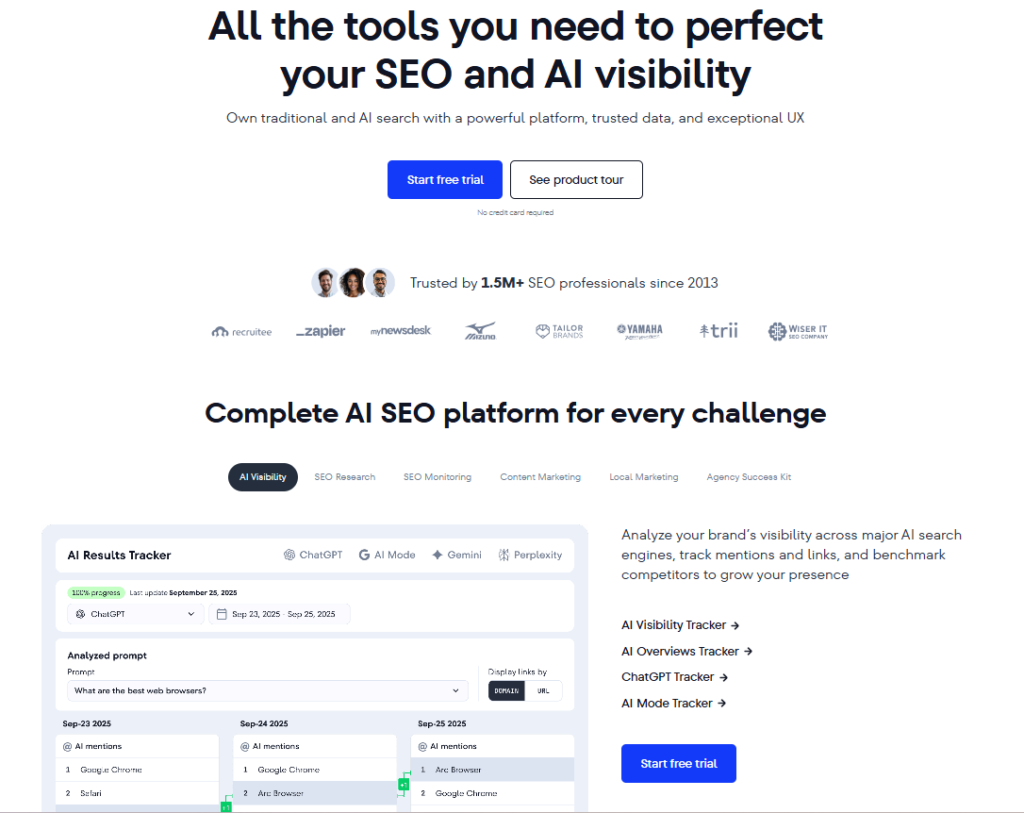
SE Ranking is a versatile SEO tool that covers everything from keyword research and rank tracking to backlink monitoring and competitor analysis. While it’s a powerful platform, it truly shines in agency and multi-client environments.
How SE Ranking Stands Out
SE Ranking is built with agencies in mind. Its dashboard, automation tools, and reporting features make it easier to manage multiple websites from a single account.
If you’re a solo website owner or in-house marketer, tools like Ahrefs or Semrush may feel more intuitive. However, for agencies handling several clients at once, SE Ranking offers excellent value.
Who Should Use SE Ranking?
SE Ranking is best suited for:
- SEO agencies
- Freelancers managing multiple clients
- Marketing teams handling 3–5+ websites
Its pricing structure becomes more cost-effective as the number of managed sites increases.
SE Ranking Pricing Plans
💡 Annual subscriptions offer up to 20% savings.
Essential – $65/month
- 5 projects
- 500 daily tracked keywords
Pro – $119/month
- 30 projects
- 2,000 daily tracked keywords
- LLM (AI search) tracking
Business – $259/month
- Unlimited projects
- 5,000+ daily tracked keywords
- API access and priority support
Pros and Cons of SE Ranking
Pros
- Excellent for managing multiple client websites
- Centralized dashboard for all SEO data
- Built-in automation and reporting tools
- AI-powered insights for SEO and AI search visibility
Cons
- Not ideal for single-website owners
- Rank tracking accuracy can occasionally vary
SE Ranking Ratings & Reviews
- G2: 4.8 / 5 ⭐ (1,381+ reviews)
- Capterra: 4.7 / 5 ⭐ (285+ reviews)
5. Google Search Console
Category: Technical SEO & Site Health
Best For: First-party Google data & indexing
Ease of Use: Beginner to Intermediate
Pricing: Free
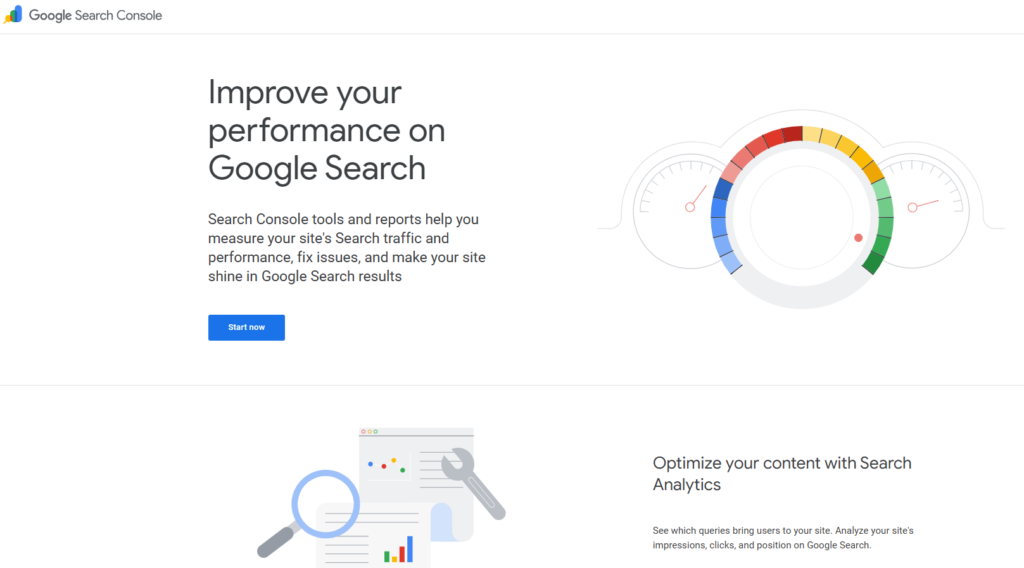
Google Search Console (GSC) is one of the most important SEO tools available—and it’s completely free. While its data updates with a slight delay, it remains the only source of true first-party data directly from Google.
How Google Search Console Works
GSC helps you:
- Monitor keyword impressions, clicks, and rankings
- Identify pages losing traffic using comparison reports
- Find high-impression keywords with low CTR for optimization
- Submit sitemaps
- Request indexing for new or updated pages
It’s also essential for diagnosing indexing errors and technical SEO issues.
Who Should Use Google Search Console?
Simply put—everyone doing SEO.
Whether you’re a beginner or an expert, GSC is a must-have tool for growing any website through organic search.
Pros and Cons of Google Search Console
Pros
- Direct first-party data from Google
- Clear insights into site performance
- 100% free to use
Cons
- Data updates can take 24–48 hours
- No competitor analysis features
Google Search Console Ratings & Reviews
- G2: 4.7 / 5 ⭐ (419+ reviews)
- Capterra: 4.8 / 5 ⭐ (207+ reviews)
6. Google Keyword Planner
Category: Keyword & Topic Research
Best For: Search volume, competition & CPC insights
Ease of Use: Beginner-friendly
Pricing: Free
Google Keyword Planner is a free keyword research tool provided by Google inside the Google Ads platform. While it was originally built for advertisers running PPC campaigns, it’s also extremely useful for SEO—especially when you want reliable search volume and keyword value data.
I mainly use Google Keyword Planner to:
- Check average monthly search volume
- Understand keyword competition levels
- Analyze CPC (Cost Per Click) to measure commercial intent
Knowing a keyword’s CPC gives you a strong signal of how valuable that keyword may be for conversions and monetization.
Who Should Use Google Keyword Planner?
This tool works well for everyone—from beginners to advanced SEO professionals. It’s surprisingly underrated in the SEO community, despite being one of the most accurate free keyword research tools available.
If you’re working with zero budget and still want trustworthy keyword data straight from Google, this is one of the best tools you can use.
Pros & Cons of Google Keyword Planner
Pros:
- Powered by Google, so keyword data is highly reliable
- Excellent for understanding real search demand
- Completely free and often overlooked by SEOs
Cons:
- Requires a Google Ads account to access
- The feature is buried inside Google Ads, which can feel confusing for beginners
Google Keyword Planner Ratings & Reviews
- G2: 4.7 / 5 ⭐ (10+ reviews)
- Prebo Digital: 4.9 / 5 ⭐ (16+ reviews)
7. Google Autocomplete (Auto-Suggest)
Category: Keyword & Topic Research
Best For: Discovering search intent & long-tail keywords
Ease of Use: Beginner
Pricing: Free
Google Autocomplete is hands down one of the simplest yet most powerful keyword research methods available—and it doesn’t require any tools at all.
All you need to do is:
- Open Google in incognito mode
- Start typing a seed keyword
- Observe what Google automatically suggests
These suggestions are based on real searches happening right now, which makes them incredibly valuable for discovering long-tail and intent-driven keywords.
Many of my highest-traffic blog posts—some with over 100,000+ reads—were discovered using this exact method.
Who Should Use Google Autocomplete?
Everyone.
I personally combine Google Autocomplete with Google Keyword Planner to uncover what many SEOs call “hidden gem” or “zero-volume” keywords—phrases that tools may underestimate but still drive strong traffic.
Since this method is simply using Google itself, there’s no need for pros, cons, or ratings—it’s free, fast, and extremely effective.
8. Bing Webmaster Tools
Category: Technical SEO & Site Health
Best For: Free technical SEO audits
Ease of Use: Beginner to Intermediate
Pricing: Free
Bing Webmaster Tools is essentially Google Search Console for Bing, and it’s one of the most underrated SEO tools available today.
In some cases, Bing Webmaster Tools actually does a better job identifying technical SEO issues than Google Search Console. It also allows you to:
- Submit sitemaps
- Request indexing
- Monitor crawl and indexing errors
This tool is especially important if you care about AI-driven search platforms like ChatGPT, which rely heavily on Bing’s index.
Who Should Use Bing Webmaster Tools?
If you already use Google Search Console, setup is effortless. You can simply sign in with your Google account and import your existing site data automatically.
Since it’s completely free and offers valuable technical insights, it’s a no-brainer addition to any SEO toolkit.
9. AlsoAsked
Category: Keyword & Topic Research
Best For: H2 and FAQ-style content ideas
Ease of Use: Beginner to Intermediate
Pricing: Free (3 searches/day), paid plans from $12/month
AlsoAsked helps you uncover real user questions pulled directly from Google’s People Also Ask (PAA) results. It’s an incredibly useful tool for structuring blog posts and creating content that answers search intent in depth.
I often use AlsoAsked to generate:
- Blog section headings (H2/H3s)
- FAQ sections
- Content expansion ideas
Many high-performing blog conclusions and subtopics come directly from PAA data found through this tool.
Who Should Use AlsoAsked?
AlsoAsked is ideal for:
- Bloggers
- Content marketers
- SEO professionals at any level
If your goal is to create helpful, well-structured content, this tool fits perfectly into your workflow.
AlsoAsked Pricing Plans
You get 3 free searches per day. Paid plans include:
- Basic: $12/month – 100 credits
- Lite: $23/month – 300 credits
- Pro: $47/month – 1,000 credits
AlsoAsked Ratings & Reviews
- Product Hunt: 5 / 5 ⭐ (2+ reviews)
Overall, AlsoAsked is a powerful upgrade from manually checking Google’s PAA section—it expands your topic coverage and helps you uncover questions you might otherwise miss.
10. AnswerThePublic
Category: Keyword & Topic Research
Best For: Question-based keyword discovery
Ease of Use: Beginner
Pricing: Free (3 searches/day), paid plans from $11/month
AnswerThePublic is a long-standing keyword research tool designed to reveal questions, comparisons, and phrases people search around a topic. It’s especially useful for understanding search intent and building content that answers real user concerns.
The tool was acquired by NP Digital, further strengthening its credibility and development.
Who Should Use AnswerThePublic?
This tool is great for anyone who wants deeper insight into:
- What people are asking online
- How users phrase questions across platforms
It also pulls data from multiple sources, including Google, YouTube, Amazon, Bing, TikTok, and Instagram, making it valuable beyond traditional SEO.
AnswerThePublic Pricing Plans
You get 3 free searches per day, with paid options including:
- Individual: $11/month – 100 searches/day
- Pro: $99/month – Unlimited searches
- Expert: $199/month – Unlimited searches + unlimited users
All plans include a 7-day free trial, so you can test the tool without risk.
AnswerThePublic Ratings & Reviews
- G2: 4.5 / 5 ⭐ (37+ reviews)
- Capterra: 4.6 / 5 ⭐ (10+ reviews)
11. Google Trends
Category: Keyword & Topic Research
Best For: Trend analysis & keyword prioritization
Ease of Use: Beginner-friendly
Pricing: Free
Google Trends is a powerful (and free) Google tool that shows how search interest for keywords changes over time. I frequently use it alongside Google Autocomplete to understand whether a keyword is gaining momentum or slowly fading away.
It’s especially helpful when you’re stuck choosing between two similar keywords. Simply plug both terms into Google Trends, compare their performance, and prioritize the one showing stronger or rising interest. This approach helps you make smarter, data-backed content decisions—rather than guessing.
Who Should Use Google Trends?
Google Trends is ideal for content creators, marketers, and SEO professionals who want to stay ahead of trends. It’s particularly useful for spotting:
- Seasonal keywords
- Rising topics
- Emerging search behavior before competition increases
Since it’s a free Google product, there’s no need for pros, cons, or ratings—it’s simply a must-use tool.
12. Nightwatch
Category: Rank Tracking & Reporting
Best For: Local and highly accurate rank tracking
Ease of Use: Intermediate
Pricing: Starts at $39/month (250 keywords)
Nightwatch is one of the most accurate rank tracking tools I’ve ever used. During my time leading SEO initiatives at Webflow, this tool played a major role in tracking keyword performance—especially for local SEO campaigns.
While it’s excellent for monitoring local rankings, Nightwatch isn’t limited to local searches. You can track global keywords, integrate multiple search engines, and generate detailed reports. Over time, the platform has expanded to include keyword research features and AI-driven insights.
Who Should Use Nightwatch?
Nightwatch is perfect for:
- Local businesses
- SEO agencies managing location-based campaigns
- Enterprises that need precise ranking data for client or stakeholder reporting
Accuracy is where Nightwatch truly stands out.
Nightwatch Pricing
Pricing is based on the number of keywords you track:
- 250 keywords: $39/month
- 500 keywords: $59/month
- 10,000 keywords: $699/month
A 14-day free trial is available, making it easy to test before committing.
Pros & Cons of Nightwatch
Pros:
- Extremely accurate rank tracking
- Clean, intuitive interface
- Supports Google, Bing, and YouTube keyword tracking
- Integrates with Google Analytics and Search Console
- Includes automated reports, Looker Studio integration, AI insights, and cannibalization alerts
Cons:
- Can become expensive at large keyword volumes
- Not a US-based company (unlikely to affect most users)
Nightwatch Ratings & Reviews
- G2: 4.9 / 5 ⭐ (43+ reviews)
- Capterra: 4.8 / 5 ⭐ (39+ reviews)
13. Screaming Frog
Category: Technical SEO & Site Health
Best For: Deep technical SEO audits
Ease of Use: Advanced
Pricing: Free version available, paid plan at $279/year
Screaming Frog is one of the most trusted technical SEO tools in the industry. It crawls your website like a search engine and uncovers critical technical issues that can impact rankings.
This tool has personally saved me multiple times—once even helping identify a mistakenly added noindex tag on a homepage, which caused it to disappear from search results. Fixing that single issue restored traffic almost immediately.
Who Should Use Screaming Frog?
Screaming Frog is best suited for:
- Technical SEO specialists
- SEO agencies
- Experienced marketers handling large or complex websites
The interface may feel outdated, and there’s a learning curve, but the depth of insights it provides is unmatched.
Screaming Frog Pricing
- Free Plan: Crawl up to 500 URLs with limited features
- Paid Plan: $279/year per user for full access
Each license is user-based, so teams will need multiple licenses.
Screaming Frog Ratings & Reviews
- G2: 4.7 / 5 ⭐ (82+ reviews)
- Capterra: 4.9 / 5 ⭐ (132+ reviews)
14. Clearscope
Category: Content Optimization & AI Assistance
Best For: Content scoring and topic depth
Ease of Use: Beginner to Intermediate
Pricing: Starts at $189/month
Clearscope is a premium content optimization tool designed to help you create in-depth, high-quality content. By entering a target keyword, the tool generates a list of related terms, competitor outlines, and content recommendations to improve topical coverage.
Many large tech brands rely on Clearscope, and over time it has expanded beyond optimization to include keyword research and a Content Decay feature that highlights pages losing traffic.
Who Should Use Clearscope?
Clearscope is ideal for:
- Managing editors
- Content strategists
- SEO professionals focused on long-form, high-quality content
Clearscope Pricing
- Essentials: $189/month – 20 content reports
- Business: $399/month – 20 content reports + account manager
- Enterprise: Custom pricing
While it’s a powerful tool, pricing can feel confusing since both entry-level plans include the same number of content reports.
Clearscope Ratings & Reviews
- G2: 4.9 / 5 ⭐ (91+ reviews)
- Capterra: 4.9 / 5 ⭐ (60+ reviews)
15. AirOps
Category: Content Optimization & AI Workflows
Best For: SEO automation at scale
Ease of Use: Advanced
Pricing: Free plan available, paid plans are custom
AirOps is an advanced SEO workflow automation platform built for scaling content and operations. Similar to Gumloop, it allows you to automate repetitive SEO tasks, integrate with tools like Semrush, and even publish content directly to CMS platforms such as Webflow.
It also includes an AI writer that adapts to your brand guidelines, making it easier to produce content consistently at scale.
Who Should Use AirOps?
AirOps is best suited for:
- Advanced SEO professionals
- Agencies
- Enterprise teams managing large content pipelines
It also includes an Answer Engine Visibility feature to track performance in AI-driven search platforms.
AirOps Pricing
- Solo: Free – 1 brand kit, 1,000 tasks/month
- Scale: Custom pricing – 3 brand kits
- Agency: Custom pricing – multi-account CMS integrations
AirOps supports over 30 AI models, including GPT, Claude, Gemini, Perplexity, and more.
AirOps Ratings & Reviews
- G2: 5 / 5 ⭐ (1 review)
- Capterra: 5 / 5 ⭐ (24 reviews)
16. Claude (by Anthropic)
Category: Content Optimization & AI Assistants
Best For: Content editing and proofreading
Ease of Use: Beginner
Pricing: Free version available, Pro at $20/month
Claude is my go-to AI tool for refining content—not for generating it. I primarily use it as a content proofreader, and it has completely replaced Grammarly in my workflow.
You can feed Claude rough drafts, poorly structured thoughts, or messy grammar, and it will turn them into clean, readable, and well-flowing content—without stripping away your original voice.
Who Should Use Claude?
Claude is perfect for:
- Bloggers
- Content creators
- Marketers
- Non-native English writers
The Pro plan gives access to advanced models like Claude Opus, which delivers exceptional editing quality.
If your goal is to improve clarity, tone, and grammar in seconds—while keeping your original ideas intact—Claude is an excellent addition to your content stack.
17. Keywords Everywhere
Category: Keyword & Topic Research
Best For: Real-time keyword metrics directly in Google search
Ease of Use: Beginner-friendly
Pricing: Free Chrome extension, paid plans start at $72/year
Keywords Everywhere is a lightweight Chrome extension that displays keyword data right inside Google’s search results. Instead of jumping between tools like Keyword Planner, Ahrefs, or Semrush, this extension shows you search volume, CPC, and competition instantly as you browse.
This makes keyword research faster and more intuitive—especially when you want quick insights without breaking your workflow.
Who Should Use Keywords Everywhere?
This tool is ideal for:
- SEO beginners
- Content creators
- Bloggers and marketers who want instant keyword insights
If you prefer quick decision-making while searching on Google, Keywords Everywhere is a great addition to your toolkit.
Keywords Everywhere Pricing
The extension is free to install, but advanced data requires credits:
- Silver: $72/year – 400,000 credits
- Gold: $300/year – 2 million credits
- Platinum: $960/year – 8 million credits
It’s widely used across the SEO industry and trusted by millions of professionals.
18. Google Analytics 4 (GA4)
Category: Rank Tracking & Reporting
Best For: Website performance and traffic analysis
Ease of Use: Intermediate to Advanced
Pricing: Free
Google Analytics 4 is one of the most powerful tools for understanding how users interact with your website. While it goes far beyond SEO, it provides critical insights into traffic sources, user behavior, and overall site performance using first-party data from Google.
GA4 received mixed reactions initially—and honestly, I felt the same. But once you understand its structure, it becomes incredibly valuable. One of my favorite use cases is the Traffic Acquisition report, which helps identify how much traffic is coming from AI platforms and LLMs like ChatGPT and Perplexity.
Who Should Use Google Analytics 4?
GA4 is essential for:
- Website owners
- Marketers and SEO professionals
- Businesses tracking growth beyond search traffic
It does have a learning curve, but mastering it gives you a much clearer picture of your site’s real performance.
Since it’s a free Google product, there’s no need for pros, cons, or ratings.
19. Looker Studio
Category: Rank Tracking & Reporting
Best For: Custom SEO dashboards and client reporting
Ease of Use: Intermediate
Pricing: Free
Looker Studio (formerly Google Data Studio) allows you to create custom, interactive dashboards using data from multiple sources. It’s an excellent reporting tool for SEO professionals who want to present insights clearly to clients or internal teams.
You can connect data from:
- Google Search Console
- Google Analytics
- Ahrefs and other third-party tools
All of this data can be merged into one clean, easy-to-understand report.
Who Should Use Looker Studio?
Looker Studio is perfect for:
- SEO agencies
- Freelancers
- In-house marketing teams
I personally use it to show clients a high-level SEO performance overview and then break it down by branded vs non-branded traffic, top keywords, and landing pages. You can even add conversion data to measure how SEO traffic contributes to revenue.
With plenty of pre-built templates available, it’s easy to get started and customize as needed.
20. Webflow
Category: Website Builder & CMS
Best For: SEO-optimized website development
Ease of Use: Beginner to Intermediate
Pricing: Free plan available, paid plans start at $29/month
Webflow is one of the strongest website builders available for SEO-focused websites. While many marketers prefer WordPress, I’ve included Webflow here because some of my most successful SEO clients use it—and this very blog is built on Webflow as well.
Webflow offers native SEO controls such as:
- Meta titles and descriptions
- Automatic sitemap generation
- Robots.txt management
- Canonical tags
- Image alt attributes
Unlike WordPress, these features are built-in and don’t rely on third-party plugins, which can introduce performance issues or security risks.
Who Should Use Webflow?
Webflow is used by major SEO-driven companies like Upwork, Monday.com, Dropbox, and Lattice. Many enterprise teams actively request SEO features from Webflow, and those features are regularly added to the platform.
If you’re building a new website or have influence over your company’s CMS decision, Webflow is an excellent choice—especially if site speed, clean code, and built-in SEO features matter to you.
Webflow Ratings & Reviews
- G2: 4.4 / 5 ⭐ (850+ reviews)
- Capterra: 4.5 / 5 ⭐ (250+ reviews)
Is SEO Still Worth It in 2026?
Yes SEO absolutely still works in 2026, but the approach has evolved.
The websites seeing the most success today are not chasing algorithms or pumping out generic content. They’re focused on delivering genuine value, real experience, and unique insights.
For example, this blog competes with—and often outranks—industry giants like HubSpot, Zapier, and Semrush. That didn’t happen because of shortcuts or automation. It happened because the content is rooted in real-world experience, personal insights, and authority built over time.