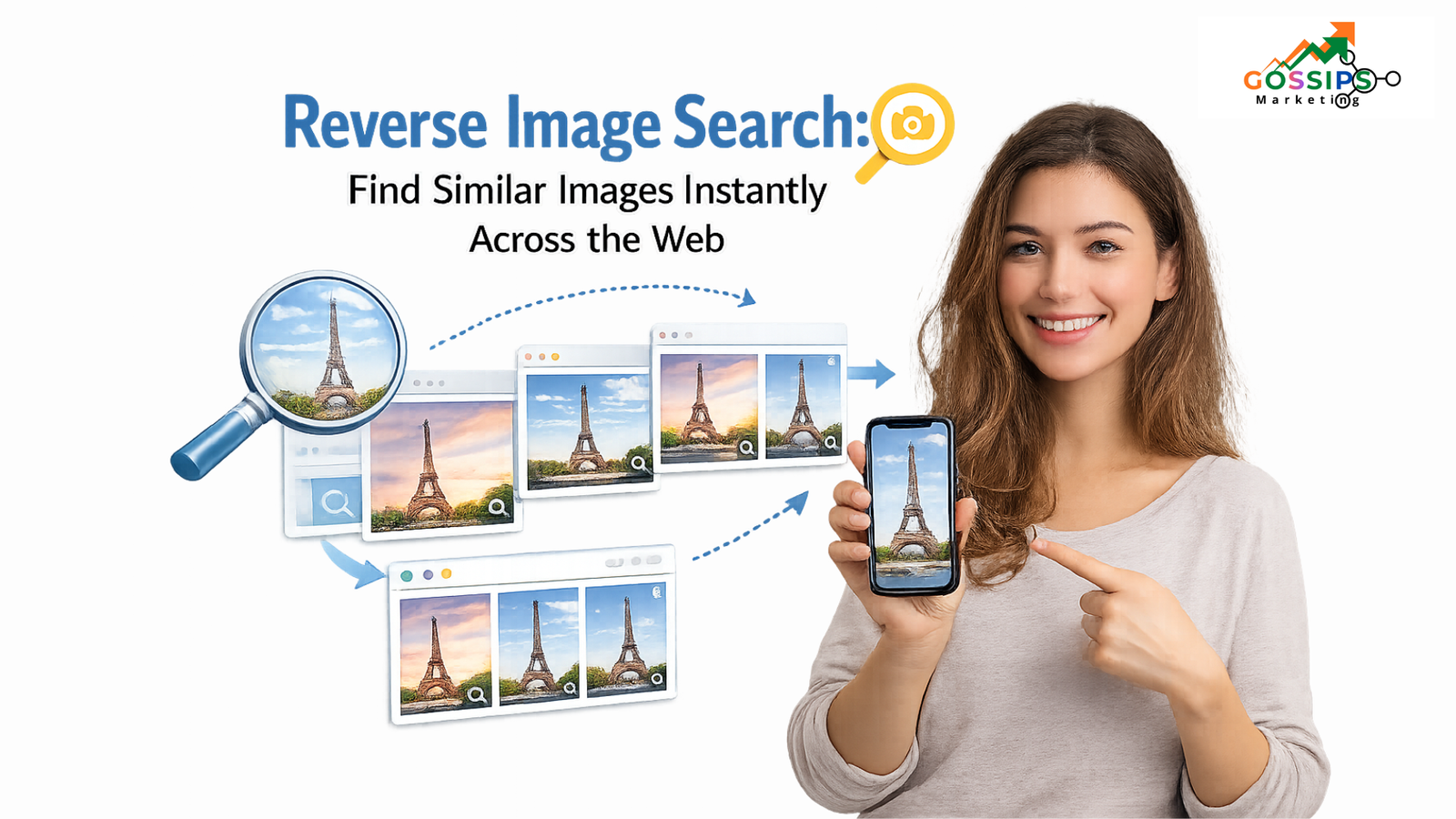
Reverse image search is one of the fastest ways to discover visually similar images available online. Instead of typing keywords, you can simply upload a picture, paste an image URL, or even describe the image to find related visuals. This smart approach helps you identify image sources, verify authenticity, and explore visually connected content within seconds.
Whether you are a designer, researcher, marketer, or just curious about an image you found online, reverse image search simplifies the entire discovery process.
How to Use Reverse Image Search?
Using a reverse image search tool is simple and user-friendly. It offers multiple methods that allow users to search images based on their preferences and available information. Below are the three most common and effective ways to perform a reverse image lookup.
Search by Image
The search by image option allows you to upload a picture directly from your device. Once uploaded, the tool analyzes the image’s technical attributes such as size, format, resolution, colors, and patterns. Based on these elements, it fetches visually similar images from across the web.
This method is particularly useful when you want to find alternate versions of the same image or explore similar visuals with better quality or different dimensions.
Search by URL
If an image is already published online, you can simply copy and paste its image URL into the reverse image search tool. This approach helps you locate websites where the same or similar images are being used.
Searching by URL is highly effective for detecting image plagiarism, tracking unauthorized usage of your content, and identifying the original source of an image.
Search Image with Keywords
The keyword-based image search option allows you to find visually related images by entering descriptive words. This method expands your research possibilities and helps you discover creative ideas, people, places, products, or concepts associated with your query.
It is especially helpful when you don’t have an image but want inspiration or reference visuals for your next project.

How We Magnetize Your Audience – The Gossips Marketing Way
In a world where every brand is shouting, the ones that win are the ones that pull the right people in. At…


is really saree business generate sales from wesbite still the
For saree business owners across India, the big doubt today is clear: “Can a saree website still generate real sales, or…
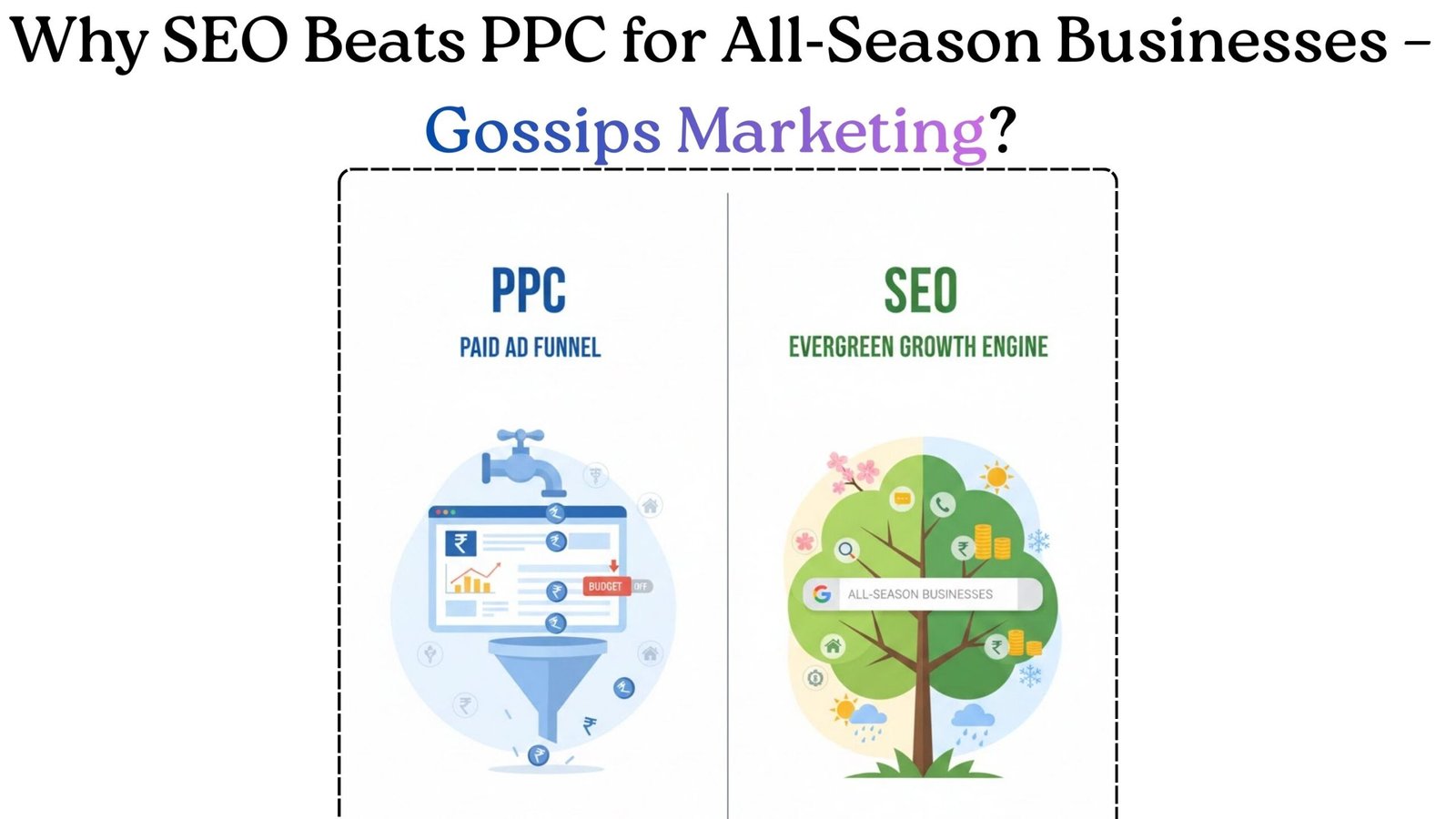
Why SEO Is Better Than PPC Today For All‑Season Businesses?
If a business runs 365 days a year like a clinic, real estate agency, coaching institute, SaaS product, or local…

Digital Hoardings in Jaipur: Low‑Cost, High‑Impact Branding for Local Businesses
Namaste guys, let’s start with a new update from Jaipur’s advertising scene digital billboards (digital hoardings) at Rambagh Circle and…

Business Not Running? The Ultimate Guide for Shop Owners to
Are you a shop owner who sits in the shop for hours and thinks: “Pehle jaise customer nahi aa rahe…”“Market me…

How ChatGPT Outage Stops the Digital World for a While?
Published: February 04, 2026 On February 4, 2026, ChatGPT experienced a significant outage affecting thousands of users across the United States….
Search by Image Using Multiple Search Engines
This reverse image search tool allows you to upload images directly from your device, drag and drop photos, or import images from cloud storage platforms like Google Drive and Dropbox. Once uploaded, the tool processes the image instantly.
Using advanced Content-Based Image Retrieval (CBIR) technology, it scans the image and retrieves results from leading search engines such as Google, Yandex, and Bing. This multi-engine approach ensures comprehensive and accurate results.
Image Source: Exact matches from three major search engines
Results: Highly similar images
Pricing: Free to use
Technology: Advanced AI & CBIR
Limits: Unlimited image searches
Google Image Search
Google Image Search is one of the most widely used image search engines due to its massive database containing billions of images. It is best suited for finding identical or near-identical images across the web.
This tool is ideal when you want to locate the same image in different sizes, resolutions, or formats. With just one click, users can explore visually similar images and related web pages.
Yandex Reverse Image Search
Yandex is often referred to as the Russian equivalent of Google and is well-known for its powerful image recognition capabilities. It excels in identifying faces, landmarks, and locations within images.
Yandex reverse image search is particularly effective when researching public figures, scenic locations, or unfamiliar places. Its advanced algorithms deliver precise and context-aware results.
Bing Reverse Image Search
Bing is another popular search engine that offers reliable reverse image search functionality. Through this tool, users can find visually similar images without manually switching between platforms.
By using a single interface, you can retrieve results from Bing alongside other major search engines, making the image search process faster and more efficient.
Reversely.ai – AI Image Search
Reversely.ai is an intelligent reverse image search solution powered by artificial intelligence. It helps users find similar images, original sources, and detailed information within seconds.
Instead of visiting multiple websites, Reversely.ai centralizes image discovery, verification, and tracking, making it an efficient choice for professionals and casual users alike.
Reverse Image Lookup on Smartphone and PC
Many users worry that image search tools only work on desktop devices, but that’s not the case here. This reverse image search tool is fully compatible with both smartphones and computers.
Whether you are using a mobile phone or a desktop system, the search process remains smooth and consistent across all devices.
Read Also: Alternative Search Engines
Reverse Image Search on Mobile Devices
Reverse image search works seamlessly on both Android and iOS platforms. Let’s take a closer look at how it functions on each.
Android Devices
If you receive an unfamiliar image on your Android phone, you can easily upload it to the image search tool. The Android-compatible interface ensures a smooth experience without technical complications.
iOS Devices
iPhone users can perform reverse image searches using Safari or any other browser. The process is quick, efficient, and delivers results within seconds.
Reverse Image Search on Desktop
If you find an image on a website and want to know its origin, reverse image search on desktop is the ideal solution. The tool supports both Windows and Mac operating systems.
Windows vs Mac-Search by Image
Windows users can upload images from their device or cloud storage and even drag and drop files for instant results. Similarly, Mac users can access the tool through their browser and perform searches without limitations.
Reverse Photo Lookup: How It Works
Reverse photo lookup is an advanced method of searching where an image is used as the query instead of text or voice. The tool analyzes the image and searches the web for visually related content.
With reverse image search, users can find similar images, identify objects, recognize places, and gather contextual information effortlessly.
Content-Based Visual Information Retrieval (CBVIR)
Reverse image search relies on Content-Based Image Retrieval (CBIR), also known as Query by Image Content (QBIC) or Content-Based Visual Information Retrieval (CBVIR).
This technology examines image elements such as shapes, colors, objects, people, and locations to retrieve visually similar images from large databases.
Benefits of Using Reverse Image Search
Reverse image search offers several practical advantages for everyday users, professionals, and businesses. From discovering similar visuals to protecting your digital identity, this tool plays a crucial role in how images are explored and verified online.
Find Similar Images
Looking for an image that closely matches your reference but with a different look or style? Reverse image search helps you locate visually related images that share similar patterns, colors, or composition. It’s especially useful when you want creative alternatives or better-quality versions of the same visual.
Find the Original Source of an Image
Sometimes, you want to credit the rightful owner of an image but struggle to identify who created it. In such cases, a reverse image search tool makes it easy to trace the original source. This is helpful for ethical content usage, academic work, and professional publishing.
Detect Plagiarized Images
People who misuse images often assume their actions will go unnoticed, but reverse image lookup changes that. If you own original photos and want to check whether they are being used without permission or attribution, this tool allows you to see where your images appear across the web and how widely they’ve been shared.
Create Backlink Opportunities
Reverse image search isn’t just about protection—it can also boost your SEO. If you find websites using your images without credit, you can request proper attribution along with a backlink to your site. This simple step can help strengthen your online authority and improve search rankings.
Learn More About What’s in an Image
Ever wondered what objects, places, or animals appear in a photo? A similar image search tool can provide detailed information about the elements inside an image. For example, uploading a dog’s photo can help you identify its breed and related characteristics.
Find People Using a Photo
If you’re trying to identify a person seen in a video, photo, or advertisement, face search technology can help. Using advanced facial recognition methods, reverse image search can assist in finding public profiles or related information associated with a person’s image.
Explore Tourist Destinations
Reverse image search can act as a virtual travel guide. By uploading a photo of a place, you can discover its location, nearby attractions, and travel-related details. This makes it easier to identify scenic spots and plan trips based on visuals alone.
Product Search by Image
Many users come across product images without names or labels. Reverse image search allows you to find product details, pricing, and sellers by simply uploading the image. This feature is especially useful for online shopping and product research.
Discover Different Versions of an Image
If the image you have is too small, blurry, or poorly formatted, reverse image lookup can help you find clearer or resized versions. You may discover the same image in higher resolution, different formats, or improved visual quality.
If you still need custom dimensions, image resizing tools can further adjust size by percentage or specific measurements.
Detect Fake Social Media Accounts
Concerned that someone might be using your photo on a fake social media profile? Reverse image search helps uncover such misuse. By searching your photo online, you can identify fake identities and protect yourself from impersonation or catfishing attempts.
Identify Fake News and Misinformation
Images are often reused or manipulated to spread misleading information. Reverse image search allows you to verify whether an image has been taken out of context or altered for fake news. This makes it a reliable tool for fact-checking and digital awareness.
Spot AI-Generated or Deepfake Images
With the rise of AI-generated visuals and deepfake content, it has become harder to trust what we see online. Reverse image search can help detect synthetic or manipulated images by identifying inconsistencies or tracing their origins.
Monitor Personal and Brand Identity
Businesses and individuals can use reverse image search to monitor the usage of logos, promotional visuals, and branded images. This helps protect intellectual property and maintain a consistent brand presence online.
Track Image Misuse Across the Web
Manually tracking copyright violations can be time-consuming. Reverse image search simplifies this process by automatically showing where your images are being used, helping you take action quickly when misuse is detected.
Reverse Video Search
Reverse image search isn’t limited to photos alone. By capturing a screenshot from a video and uploading it, you can identify the video’s source, platforms where it’s published, or related visual content across the internet.
Why Choose Google Image Search?
Google Image Search remains one of the most reliable tools for reverse image lookup due to its massive image database and accurate matching capabilities. It helps users quickly find identical or closely related images, discover original sources, and explore different sizes or formats of the same visual. For marketers, designers, and researchers, Google Image Search is especially useful for checking image authenticity and spotting reused or plagiarized content across the web.
At Gossips Marketing, we often recommend Google Image Search as a starting point for brand monitoring, competitor research, and content verification. Its fast results and wide coverage make it a practical choice for anyone looking to understand where an image appears online and how it’s being used.
Frequently Asked Questions
Can I reverse search edited or screenshot images?
Yes, the tool supports screenshots and edited images.
Is reverse image search free?
Yes, it is completely free with unlimited usage.
Why do people use image search?
To verify images, detect plagiarism, identify products, and find information.
Should I reverse image search my own photos?
Yes, it helps track unauthorized usage.
How many people use image search?
Millions of users worldwide rely on reverse image search daily.


[…] sandeep patodiya Reverse Image Search: Find Similar Images Instantly Across the Web on January 26, […]